Who can join
One Shot is for anyone 12 and over. Everyone aged 12 to 15 has a child account with the protections on this page.
Add your child
Create your child's account from the Family page. You choose their username and password, and we email you the details and next steps.
Share the job
Add other adults as Family Admins or Moderators, so both parents (or a grandparent) can help look after the controls.
Everything their friends are doing
A child account isn't a cut-down version. It's the full app — with a few kind limits that everyone in the family can see.
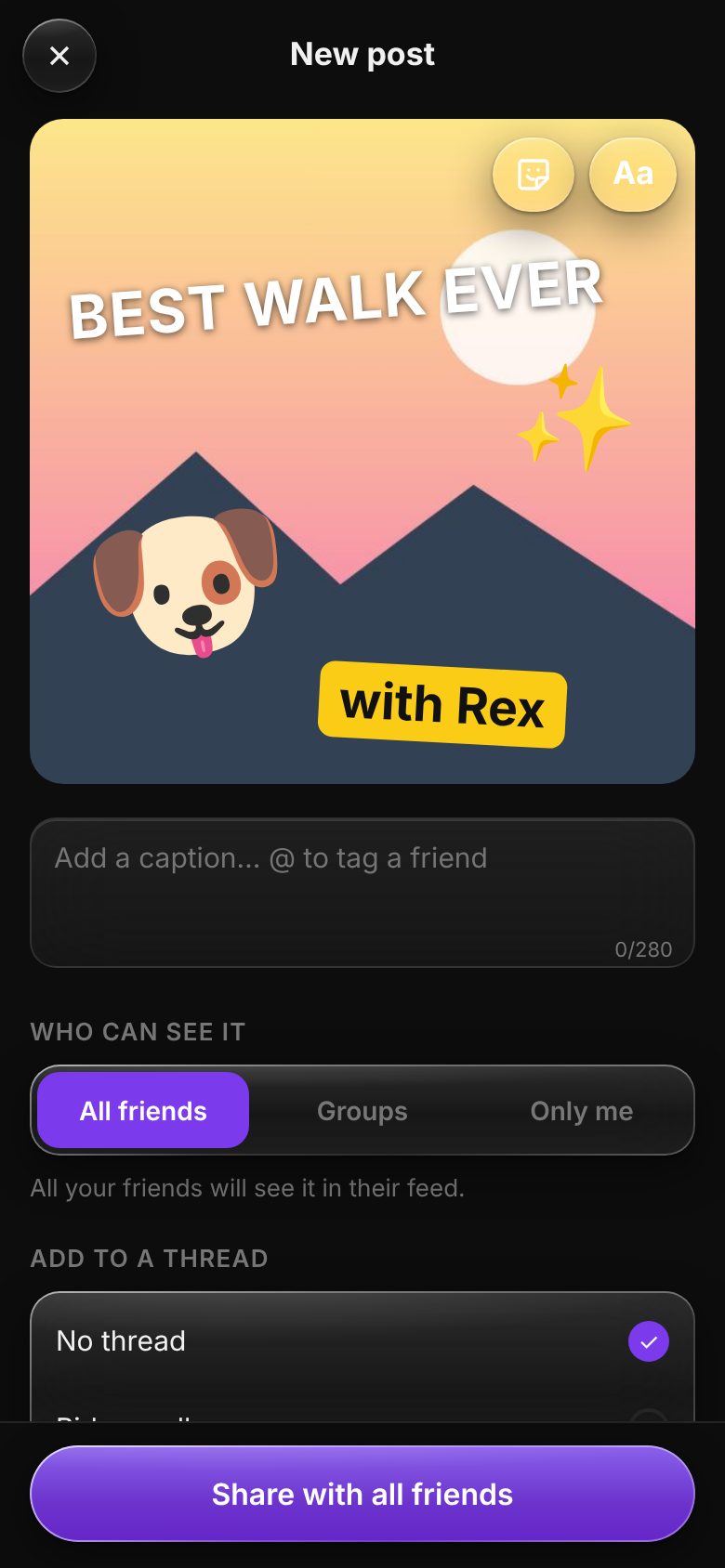
Share real moments with real friends
Nobody they don't know can find them, follow them or message them. Their friends are people both families have said yes to.
- Photos, videos and Stitches from the camera, with text and stickers on top.
- Groups and threads for the team, the class or the cousins.
- Chats, group chats and voice notes with friends their family has approved.
- Likes, comments and @tags, just like everyone else.
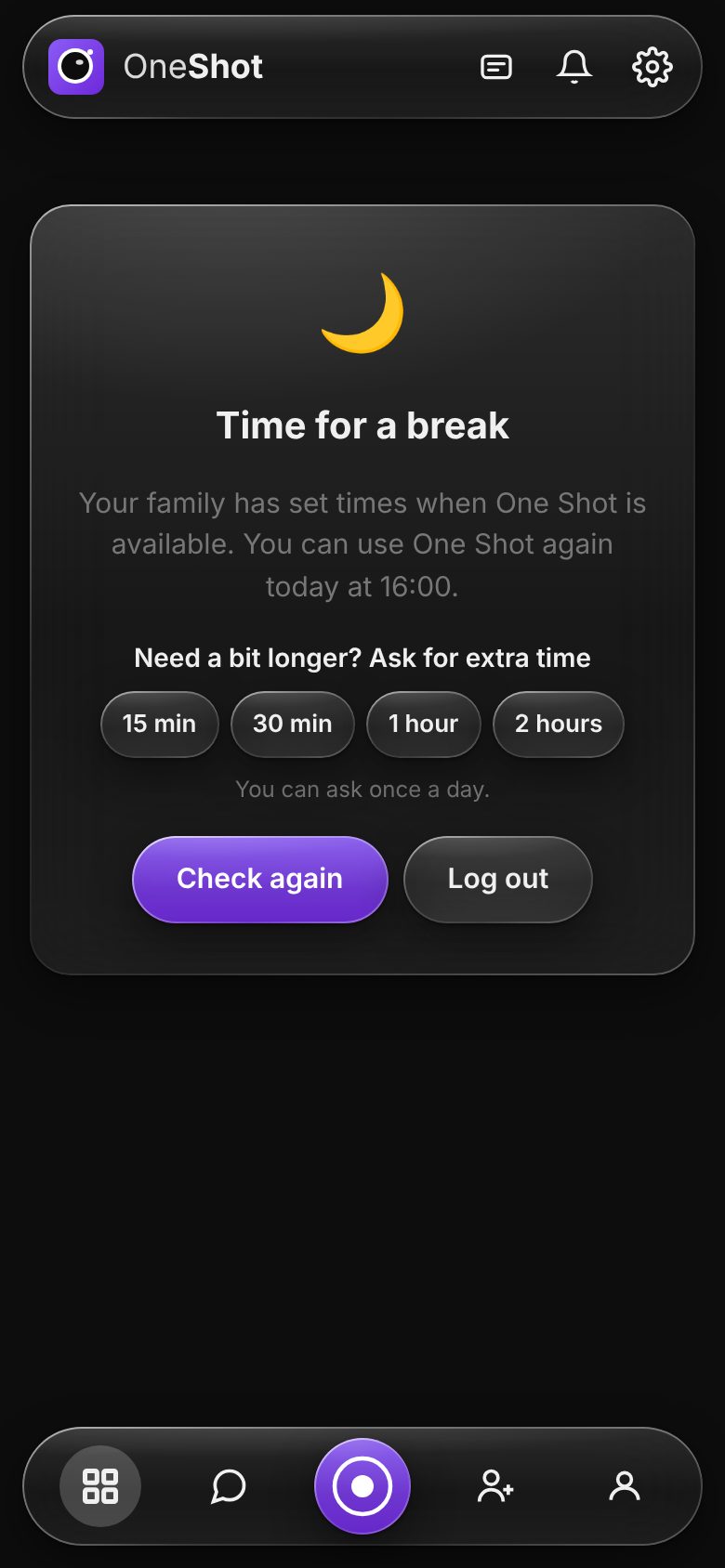
Need a bit longer? Just ask
Outside their active times they see a calm break screen that says when One Shot opens again — and how to ask for more.
- Ask for 15 minutes to 2 hours when they're outside their times — once a day, if you allow it.
- The answer arrives straight away: the app opens up the moment you say yes.
- They see who gave them the time, with a reminder to say thank you.
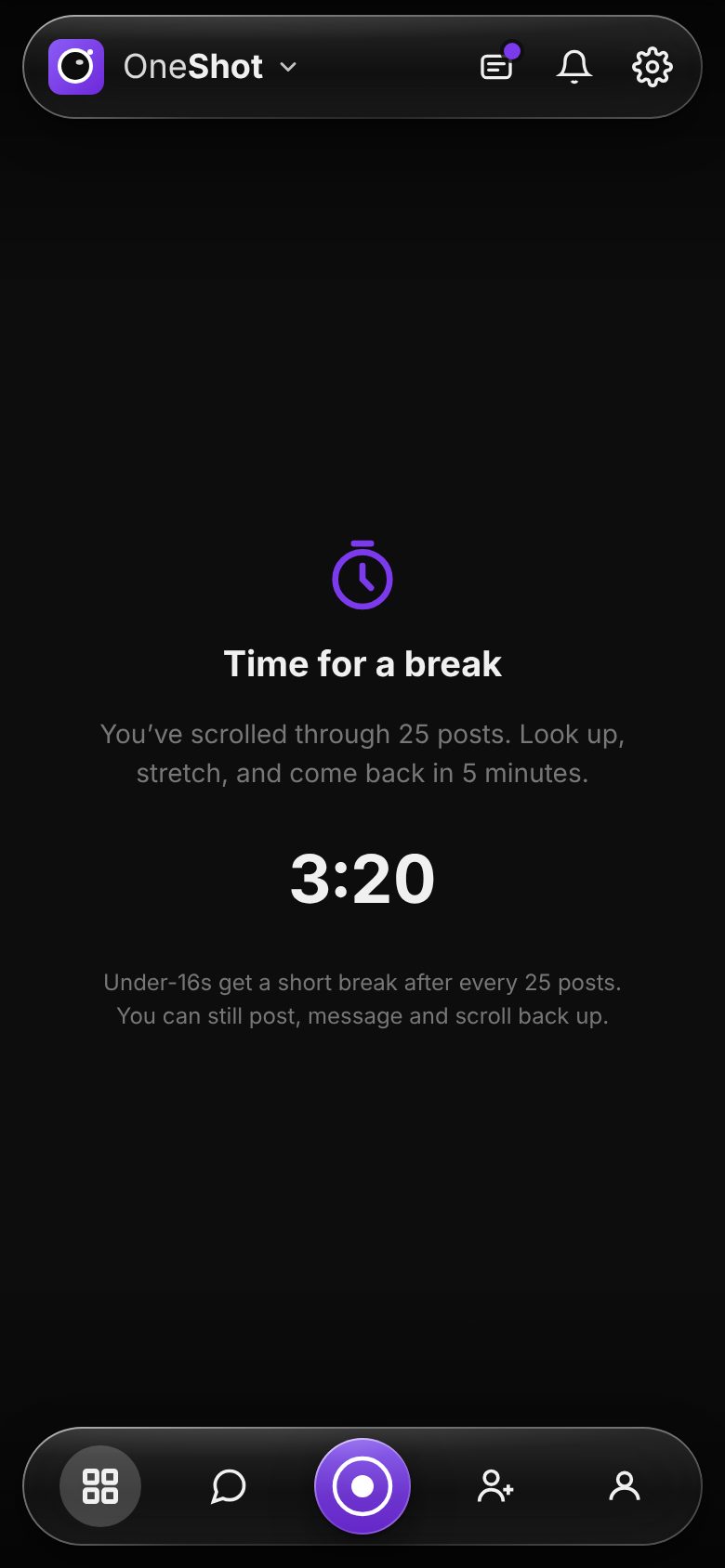
Quiet nights and real breaks
Built-in limits for every under-16, explained to them when they join and shown in their settings — no surprises.
- No notifications overnight — 9pm to 8am by default, in their own time zone. Nothing is lost; it's there in the morning.
- A 5-minute break after 25 posts, so the feed is never endless. They can still post and message.
- A direct line to you: their messages and voice notes to their parents always go straight through.
Real controls, in one place
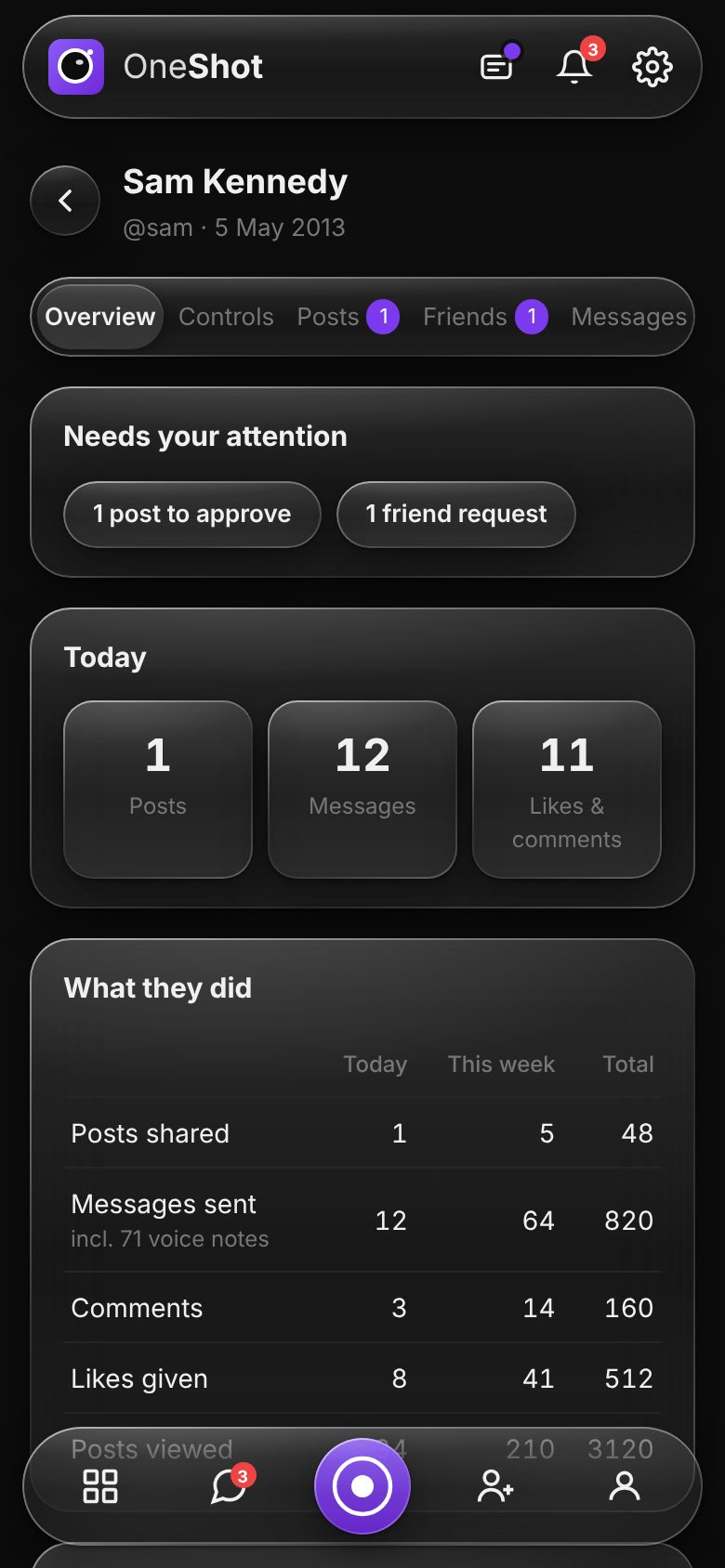
Every child has their own page under Family, with an overview and a tab for each kind of control. Changes to their times reach their phone straight away.
See what matters at a glance
A dashboard of how your child uses One Shot, without reading every message.
- Needs your attention: posts, friend requests and messages waiting for you.
- What they did: posts, messages, voice notes, comments and likes — today, this week and in total.
- What came back: likes and comments on their posts, and how many friends they have.
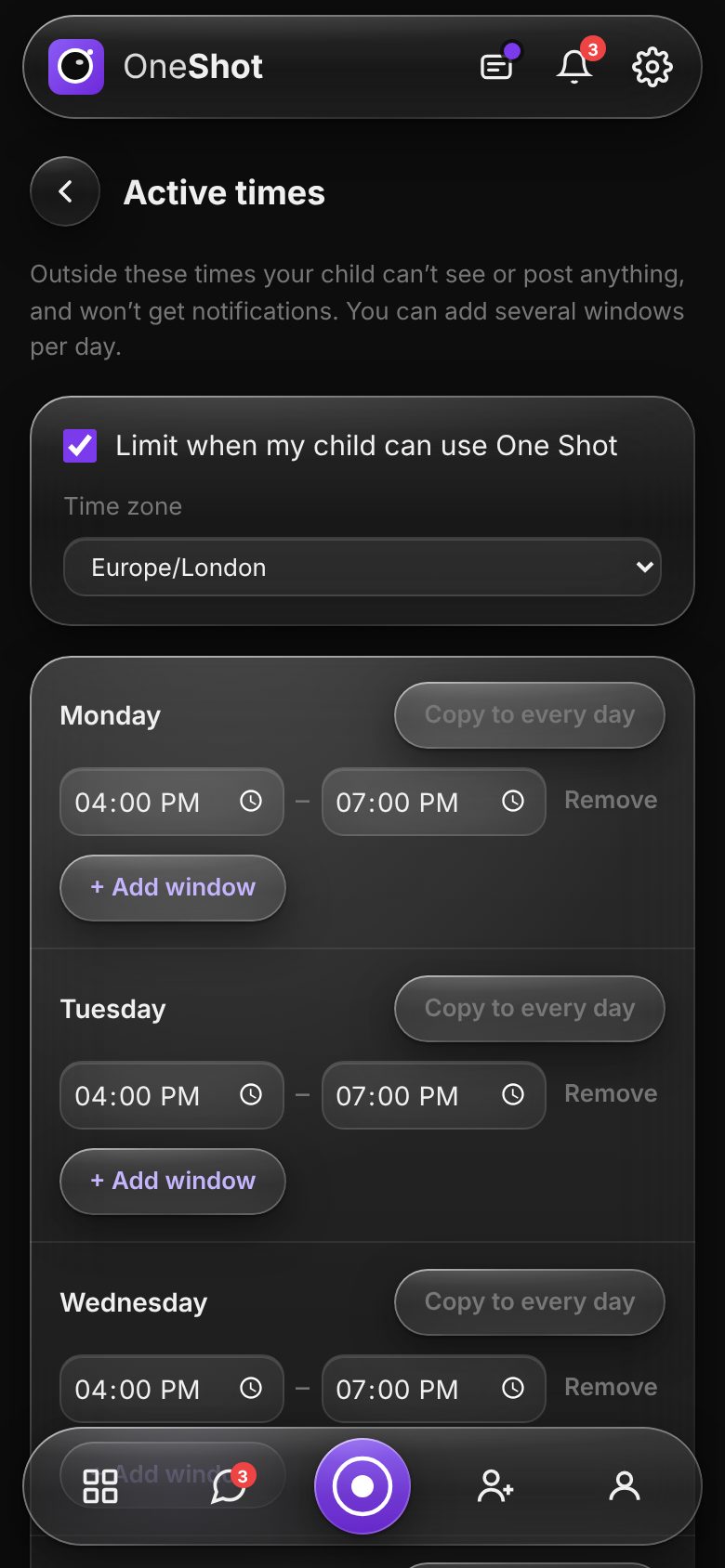
Decide when One Shot is open
Set it once and let it run. No arguments about who said what.
- Several windows a day — after school, and an hour after dinner, say — set per day or copied to the whole week.
- In their time zone, so it still works on holiday.
- Outside those times they can't view or post, and notifications wait.
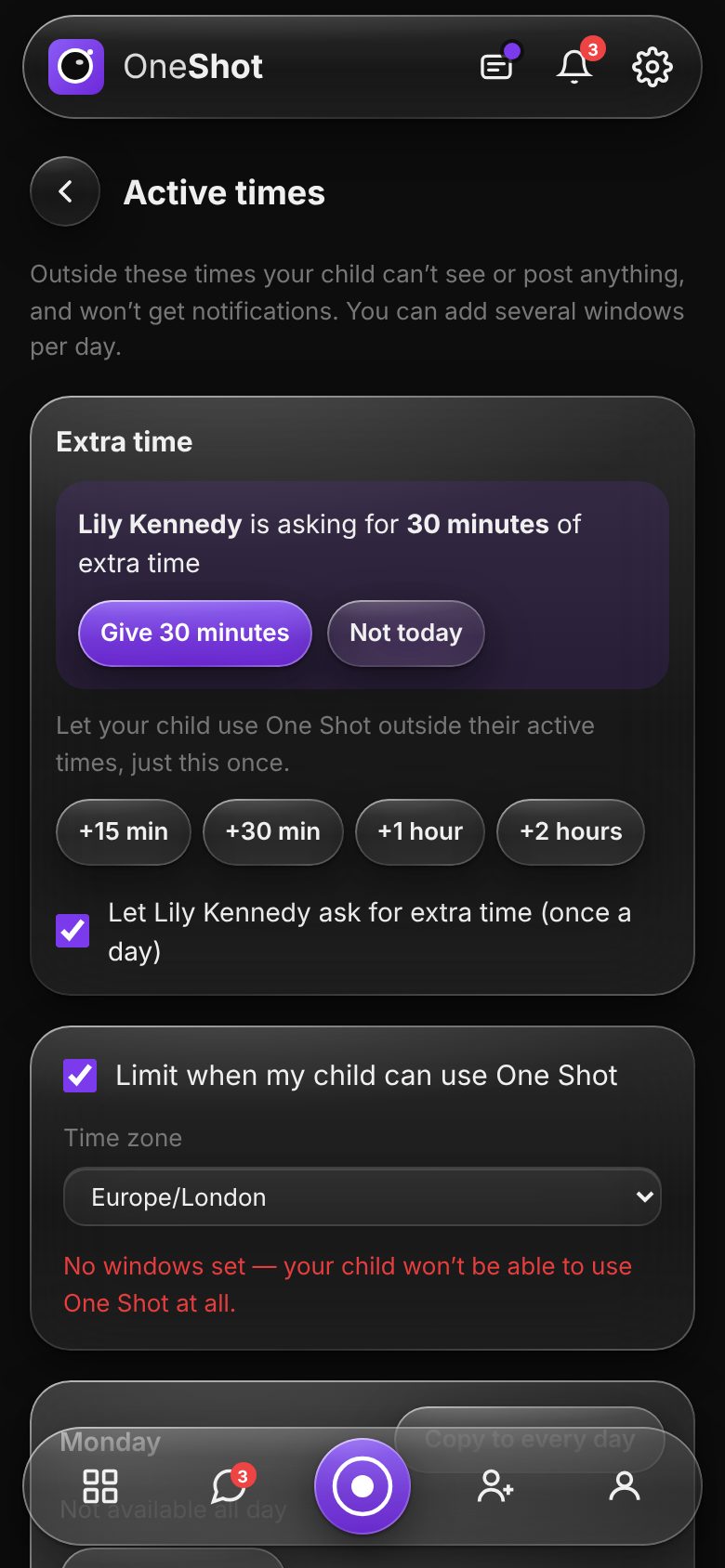
Say yes in one tap
For the sleepover, the school project or the last level of the game — exceptions without changing the rules.
- Give extra time in steps of 15 minutes, 30 minutes, 1 hour or 2 hours, and end it early if you need to.
- Let them ask — once a day — and get a notification when they do.
- Any Family Admin can answer, and your child sees who it was.
Two families say yes
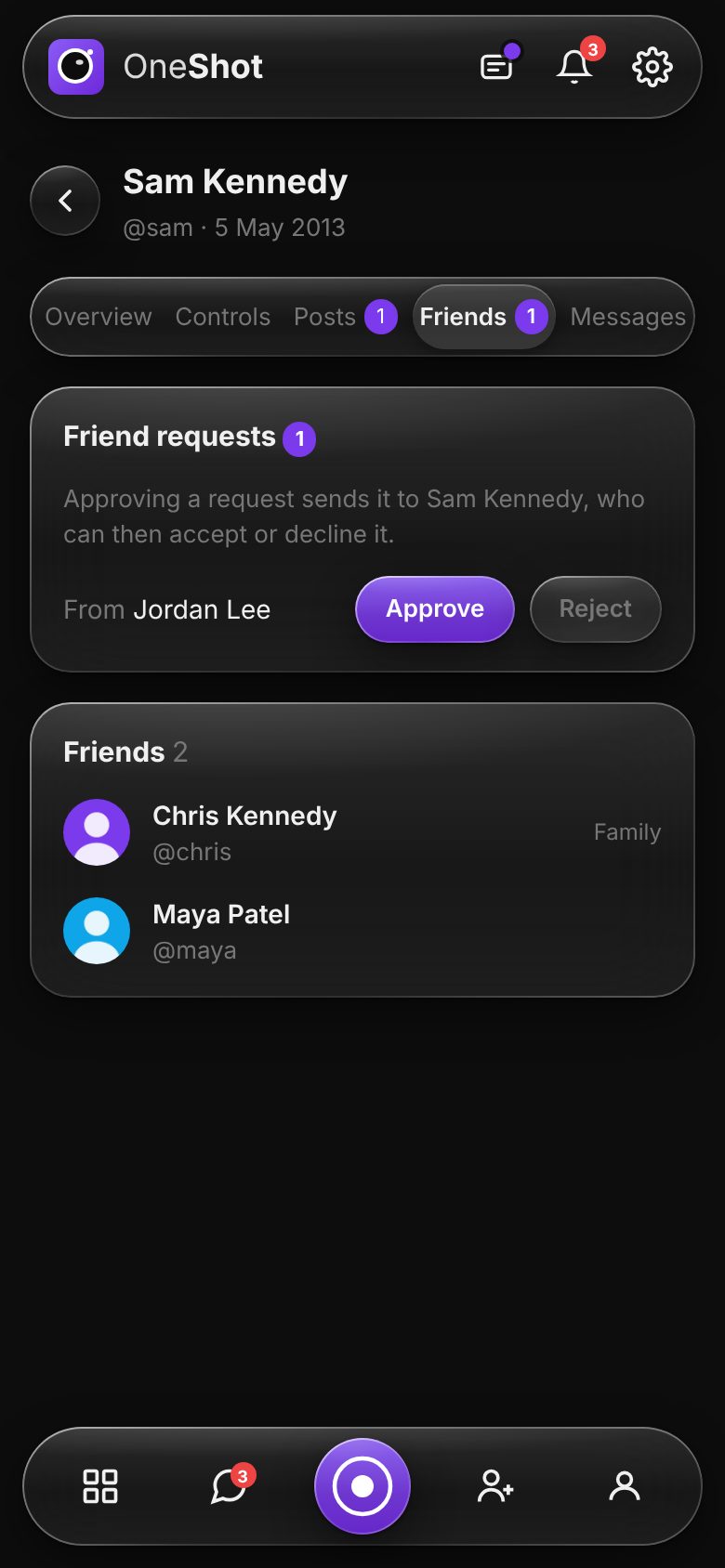
Your child only connects with people both families are comfortable with.
- Friend requests come to you first — and to every Family Admin.
- If the friend is a child too, their family approves as well.
- Your child still decides whether to accept, and you can always see who they're friends with.
Choose where they can post
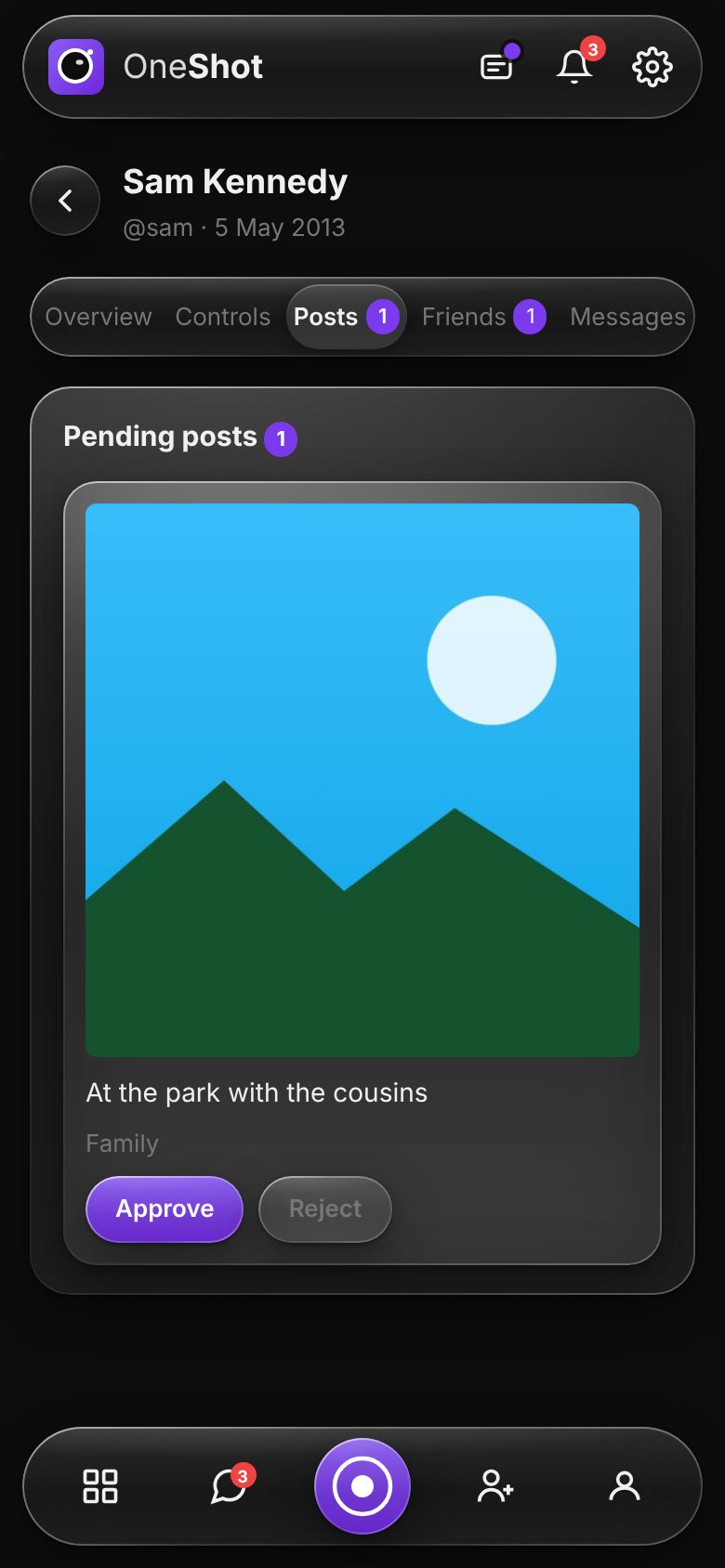
Start with approvals, then loosen up as they get the hang of it.
- All their friends: allowed, only with your approval, or not at all.
- Each group: free to post, needs your approval, or blocked.
- Posts that need approval wait for you with Approve or Reject.
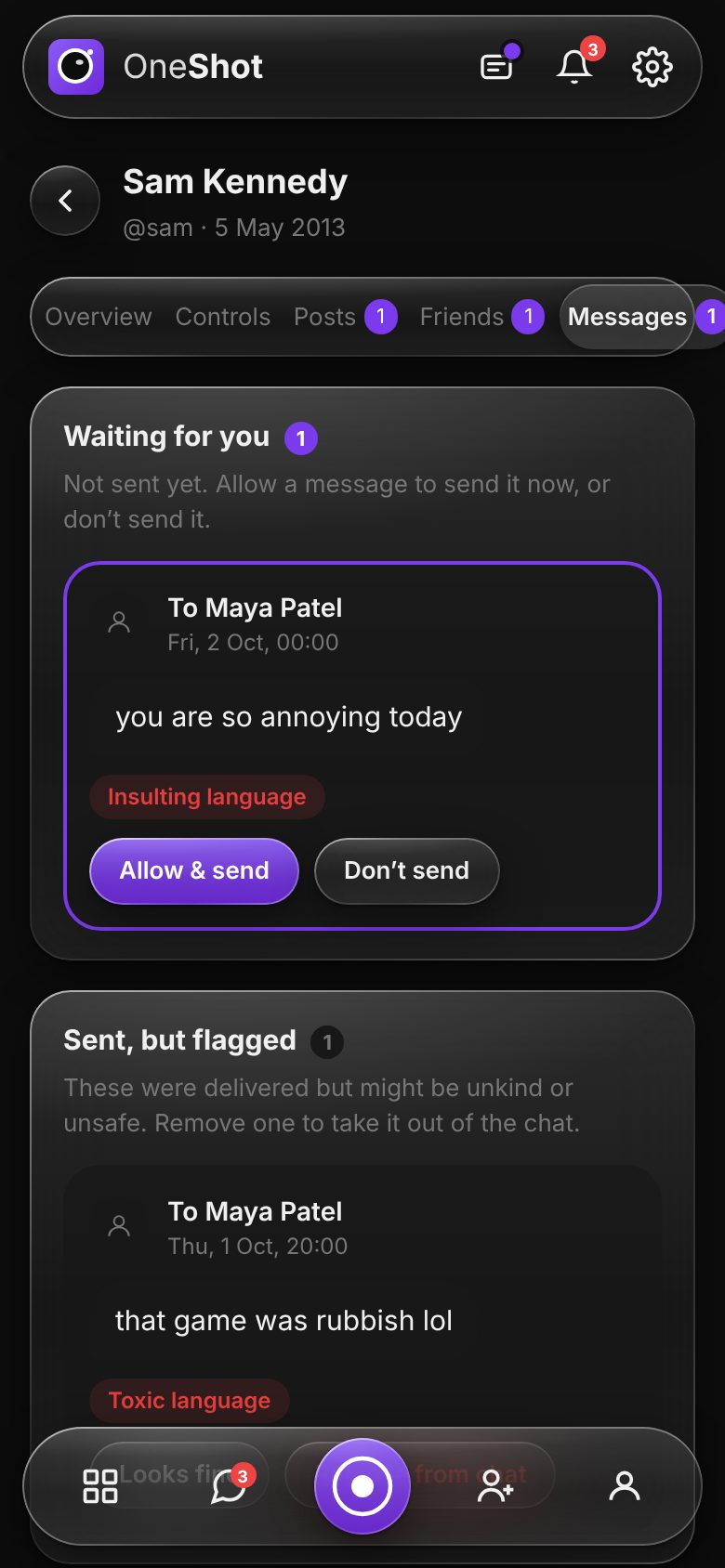
Unkind messages are held for you
You get a notification that says what happened and opens that message. One page shows everything waiting and everything flagged.
- Everyday messages go straight through — no waiting for a parent to read “see you at 4”.
- Unkind or unsafe ones are held until you choose Allow & send or Don't send.
- Borderline ones are flagged after sending; mark them fine or remove them from the chat.
- Checked on our own servers, never by an outside company. Messages to you are never checked.
Everything else you'd expect
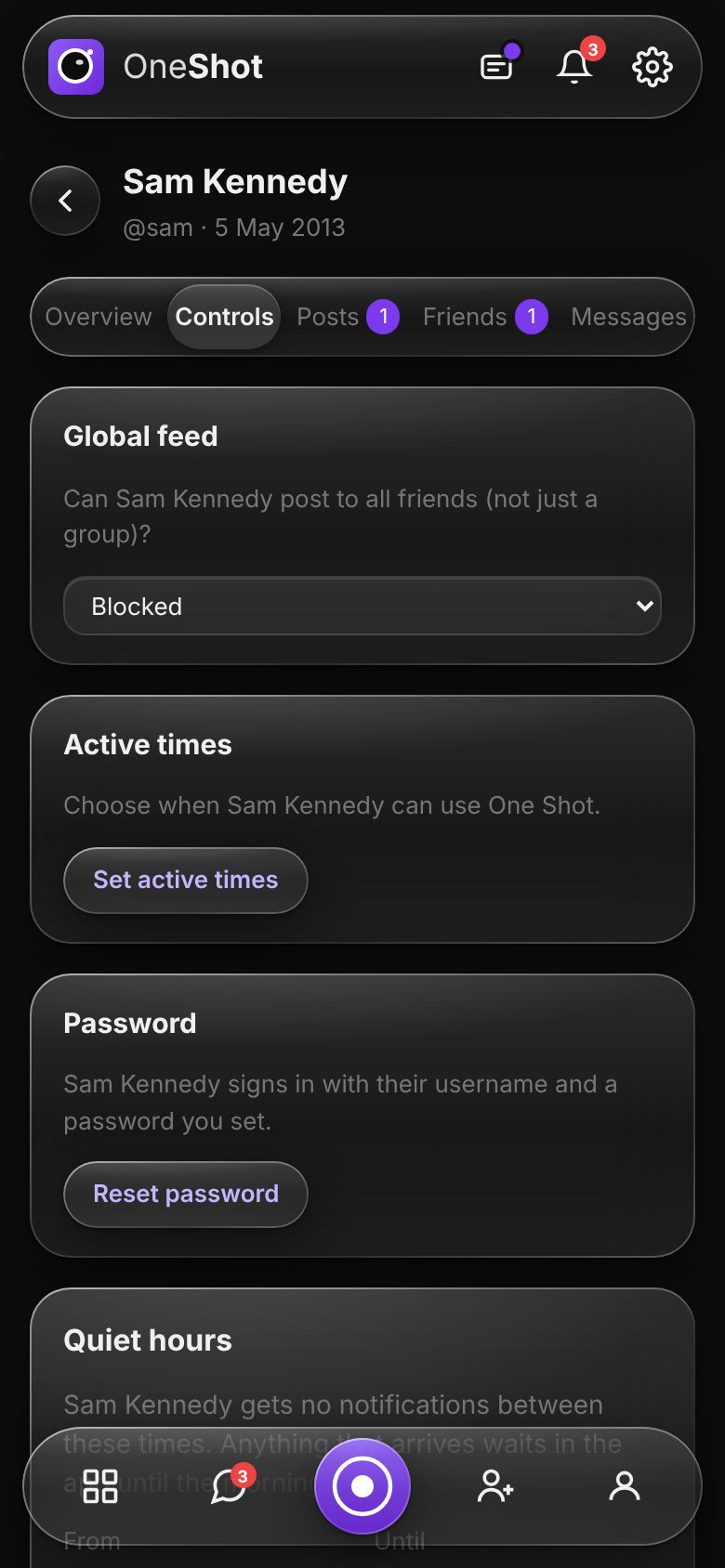
All on the Controls tab, with plain explanations of what each one does.
- Quiet hours: move them to suit your family (they can't be switched off for under-16s).
- Reset their password when they forget it.
- Send a test notification to their phone and see what happened on each device.
- Pause their account and turn it back on later, or delete it for good.
Questions parents ask
Does my child know about the controls?+
Can I read all of my child's messages?+
Who checks the messages?+
Can both parents manage the controls?+
Can I take a break from One Shot for my child?+
Bring your family to One Shot
Create your account, then add your children from the Family page.
Get started free